Video Editing In Nepal Guide
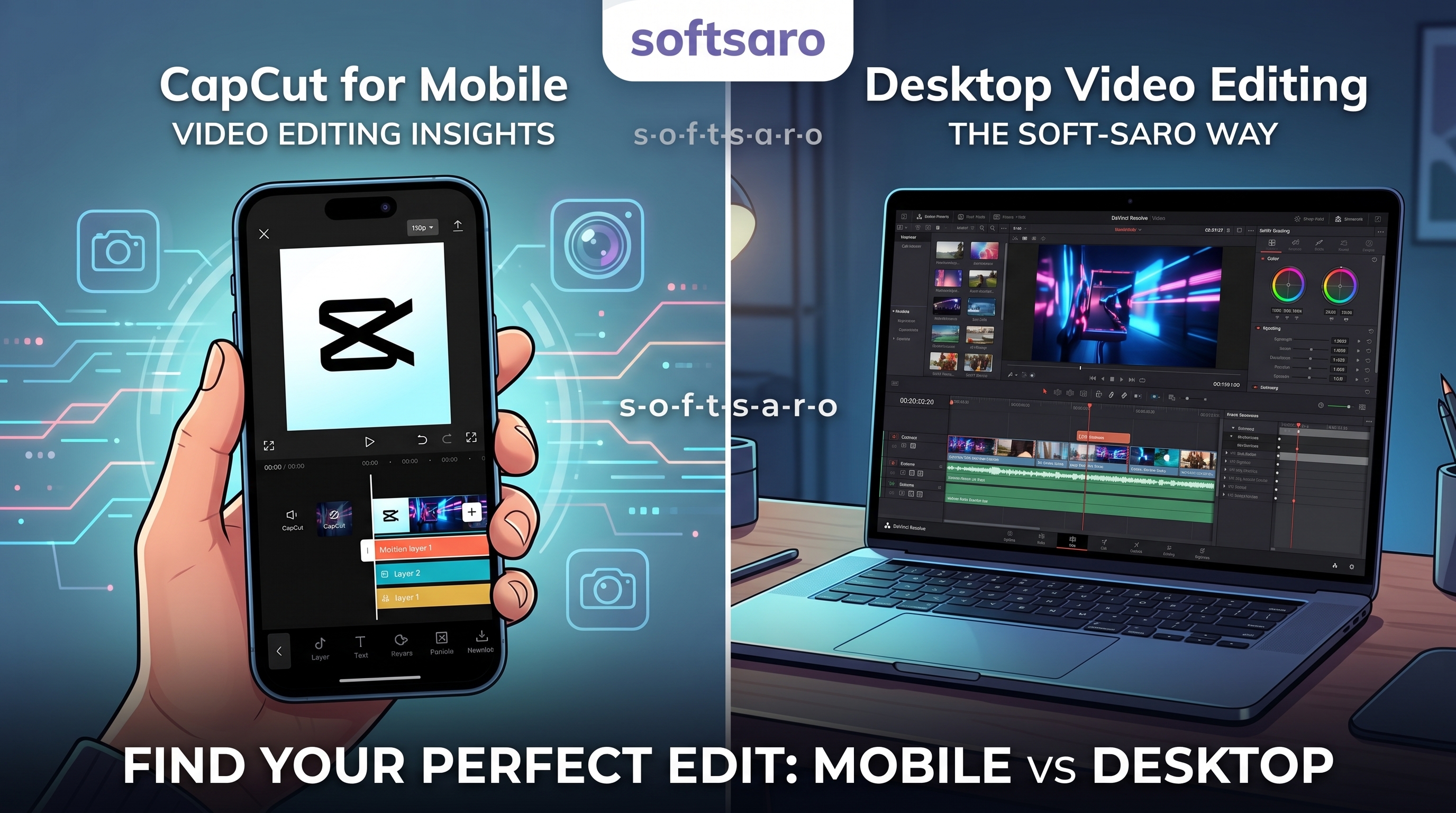
Video Editing in 2026: The Complete Guide to Free Apps, Software and AI Tools
Video content now drives most engagement on social media, YouTube and paid ads, and that has made online video editing one of the most searched skills for creators and businesses alike. The confusing part isn't whether to edit video, it's choosing between the dozens of apps, programs and browser-based tools competing for attention.
This guide breaks down video editing options by what actually matters: your device, your budget and your skill level, so you can pick a tool once and start creating instead of testing five apps a week.
What "Online Video Editing" Means Today
Video editing online used to mean uploading footage to a browser tool with limited features. That's changed. Today, online and mobile editors offer timeline editing, multi-track audio, transitions, captions and export in resolutions that rival desktop software. The main trade-off is processing power: browser-based editors depend on your internet connection and device, while installed video editing software uses your computer's own hardware, which matters for long or high-resolution projects.
For short-form content - reels, TikToks, ads under two minutes an - online or mobile-first workflow is usually enough. For longer YouTube videos or client work, desktop software still edits faster and handles heavier files more reliably.
Choosing the Right Video Editing Application for Your Device
Not every video editing application is built for the same purpose. Before picking one, it helps to match the tool to what you're actually producing:
-
Mobile-first creators (reels, shorts, vlogs): app-based editors with built-in templates and captions
-
Small businesses and marketers: tools with brand kits, text overlays and quick export presets for ads
-
Freelancers and agencies: desktop programs with multi-track timelines and colour grading
-
Beginners learning the craft: free tools with a simple interface and tutorial support
A common mistake is picking software based on what a popular creator uses, without checking whether it fits your device or workflow. A laptop with limited RAM will struggle with the same video editing programs that run smoothly on a high-spec machine, so device compatibility should come before brand preference.
CapCut Video Editing: Why It Dominates Mobile Editing
CapCut is currently one of the most searched and most used mobile editors, and the reason is accessibility. It runs on both Android and iOS, includes auto-captions, trending templates, and basic AI features like background removal, all without a steep learning curve.
CapCut works well for:
-
Quick vlog video editing and reels
-
Adding captions and trending effects without manual timing
-
Exporting directly to Instagram, TikTok or YouTube Shorts
Its limitations show up in more advanced projects: precise colour correction, complex multi-layer audio, and full control over export settings are still handled better by dedicated desktop video editing software. For most everyday content, though, CapCut remains one of the fastest routes from raw footage to a published post.
Best Free Video Editing Software for Free Online Editing
Searches for video editing for free online and free video editing software are consistently high, and for good reason. Several tools now offer genuinely usable free tiers:
|
Tool |
Best For |
Platform |
Free Tier Limitation |
|
CapCut |
Social media, reels |
Mobile & desktop |
Watermark on some export presets |
|
Colour grading, professional editing |
PC/Mac |
Steeper learning curve |
|
|
CapCut Web |
Quick browser edits |
Browser |
Requires stable internet |
|
Simple business videos |
Browser (Windows) |
Limited stock assets in free plan |
|
|
Mobile vlogging, short clips |
Mobile |
Watermark unless upgraded |
If avoiding a watermark matters for your brand, check each tool's export settings before publishing, since free video editing software without watermark is a specific and common requirement for businesses that can't have a third-party logo on branded content.
Best Video Editing Software for PC and Desktop Work
For longer or more technical projects, video editing software for pc still offers more control. The most searched and recommended options include:
-
DaVinci Resolve — widely regarded as the strongest free option for colour grading and professional-grade editing
-
Adobe Premiere Pro — the industry standard for agencies and freelance editors, with the deepest third-party plugin ecosystem
-
CapCut for PC — the desktop version of the mobile app, useful for creators who want a consistent workflow across devices
If you're editing regularly on desktop, hardware matters. A good laptop for video editing generally needs a dedicated GPU, at least 16GB RAM, and fast storage, since editing software is one of the more demanding everyday computing tasks. Underpowered machines cause export crashes and laggy previews more often than software bugs do.
How AI Is Changing Video Editing
Video editing ai tools have moved from novelty to genuinely useful in the last two years. Current AI features across major apps include:
-
Automatic scene detection and rough-cut assembly
-
AI captioning and translation
-
Background noise removal and audio balancing
-
Object removal and background replacement without manual masking
AI video editing doesn't yet replace manual editing for storytelling or pacing decisions, but it removes hours of repetitive work, particularly captioning and rough cuts. For businesses producing high volumes of short-form content, this is often the single biggest time-saver available right now.
Learning Video Editing: Courses and Skill-Building
Searches for video editing course reflect a real demand for structured learning rather than trial-and-error with tutorials. A practical learning path looks like:
-
Learn one tool well (CapCut for mobile, DaVinci Resolve for desktop) before switching between apps
-
Practice with short, real projects rather than only following along with tutorials
-
Study pacing and cutting in content you already enjoy watching
-
Move to a structured course once the basics of cuts, transitions and audio are comfortable
A short, focused course is usually more useful than a long one, since most beginners retain editing skills better through repetition on real projects than through passive lessons.
Choosing Between Free and Paid Tools for Business Use
For personal content, free tools are usually enough. For business use - ad creatives, brand videos, consistent social content, the calculation changes. Watermarks, export limits and missing brand-kit features in free tiers can cost more in inconsistent branding than a paid subscription would.
Businesses producing video regularly for ads or social media often reach a point where in-house editing, however good the software, competes with core work like sales or operations. That's usually when working with a dedicated digital marketing partner becomes worth considering, particularly one that can handle scripting, video ad production and distribution as a coordinated strategy rather than isolated clips. Softsaro's digital marketing services cover this kind of video content and ad support for businesses that want consistent, on-brand output without managing the editing workflow themselves.
FAQ
1. What is the best free online video editing tool right now?
CapCut and DaVinci Resolve are currently the most recommended, CapCut for fast, template-driven mobile and social content, and DaVinci Resolve for more technical, professional-grade editing on desktop.
2. Is CapCut video editing good enough for business use?
Yes, for short-form social content and ads it's often sufficient. For long-form brand videos or projects needing precise colour grading, desktop software still performs better.
3. Can I do video editing online without installing software?
Yes. Browser-based tools like CapCut Web and Clipchamp support full timeline editing without installation, though performance depends on your internet connection and device.
4. What video editing software works best without a watermark?
Most free tiers add a watermark unless you upgrade or select specific export settings. DaVinci Resolve's free version does not watermark exports, which makes it a common choice for watermark-free editing.
5. Do I need a powerful laptop for video editing?
For short mobile-edited clips, no. For desktop software handling 4K footage or long projects, yes, a dedicated GPU and at least 16GB RAM significantly reduce lag and export time.
6. Is AI video editing reliable for professional content?
AI features like captioning, background removal and rough cuts are reliable and save significant time, but final pacing and creative decisions still benefit from manual editing.
7. Is it worth taking a video editing course, or is self-teaching enough?
Self-teaching works for basic content, but a structured course speeds up learning pacing, transitions and audio balancing, skills that take much longer to pick up through trial and error alone.
8. Where can businesses in Kathmandu get help with video content for ads and social media?
Softsaro, based in Thapathali, Kathmandu, supports businesses with video ad scripting and digital marketing strategy for social and paid campaigns.
Ready to Turn Raw Footage Into Real Results?
Great video editing gets people watching. Softsaro Nepal’s team will make sure they also convert.
Contact Softsaro today and get video content built to perform